
How to Verify Udyam Registration Online
Udyam registration (UR), also known as Udyam Aadhaar, is a registration process for businesses in India seeking government benefits and subsidies.
Monjima GhoshUpdated 3 min read
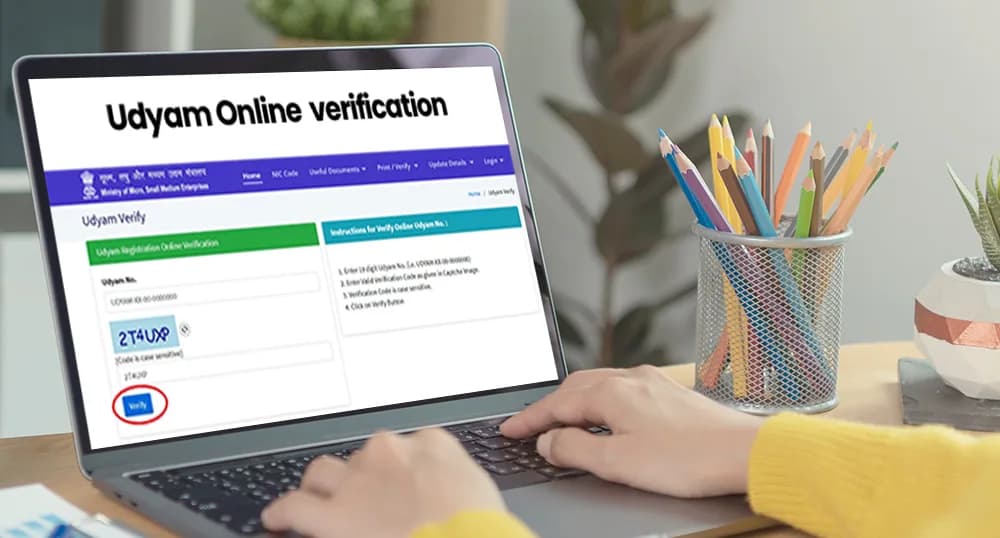
Table of contents12 sections
Introduction
Udyam registration (UR), also known as Udyam Aadhaar, is a registration process for businesses in India seeking government benefits and subsidies. It is a simple and quick online process. You can complete it within a few minutes. However, there may be instances where someone questions the authenticity of a Udyam registration certificate. In such cases, Udyam verification or Udyam certificate verification process needs to be followed.
Steps for Udyam verification
Website method for Udyam Verification
The first step for Udyam verification/MSME certificate verification is to visit the official Udyam registration website of the Ministry of Micro, Small and Medium Enterprises (MSME).
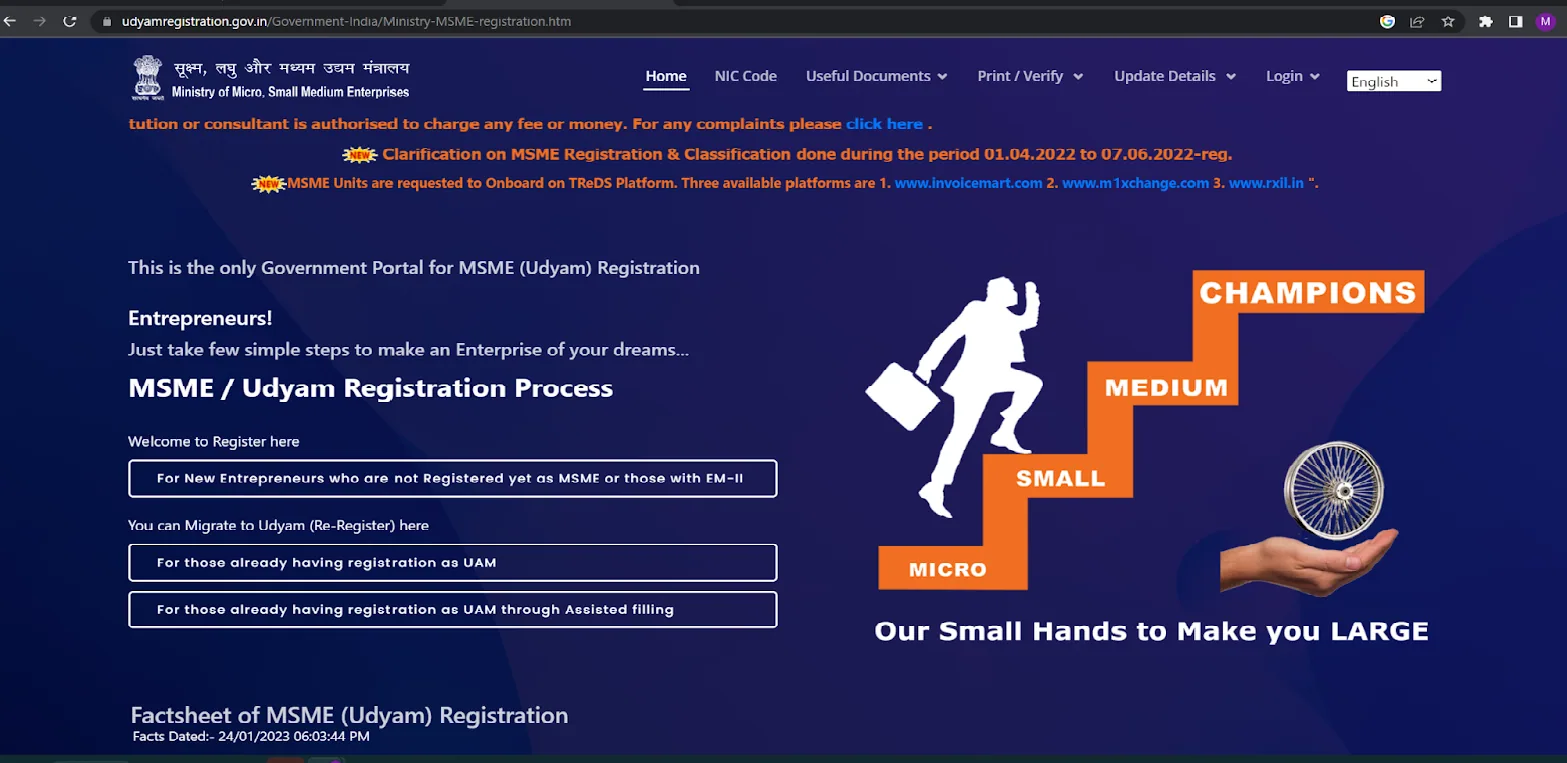
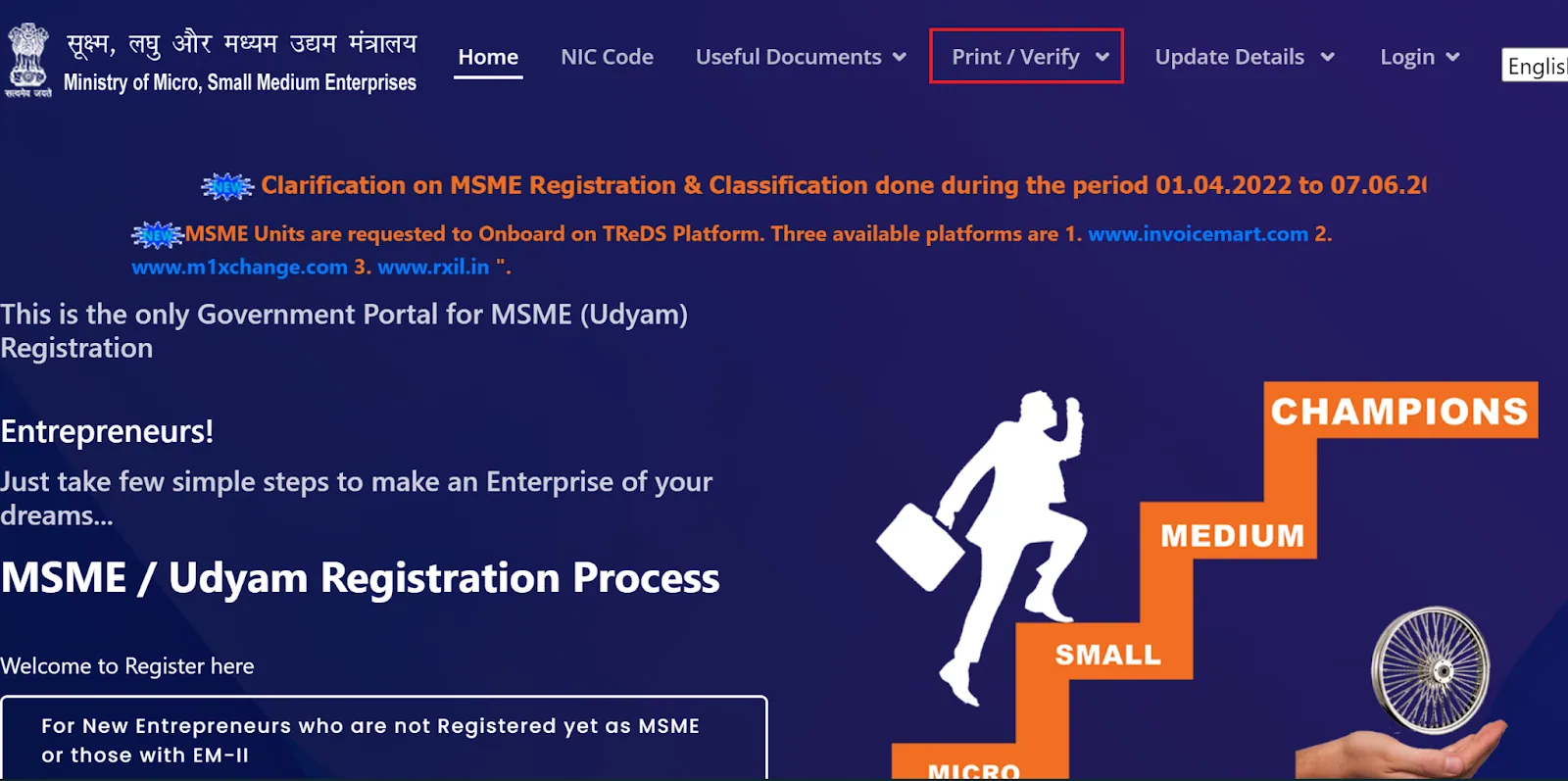
On the homepage, you will find a Print/Verify tab on the ribbon, click on that.
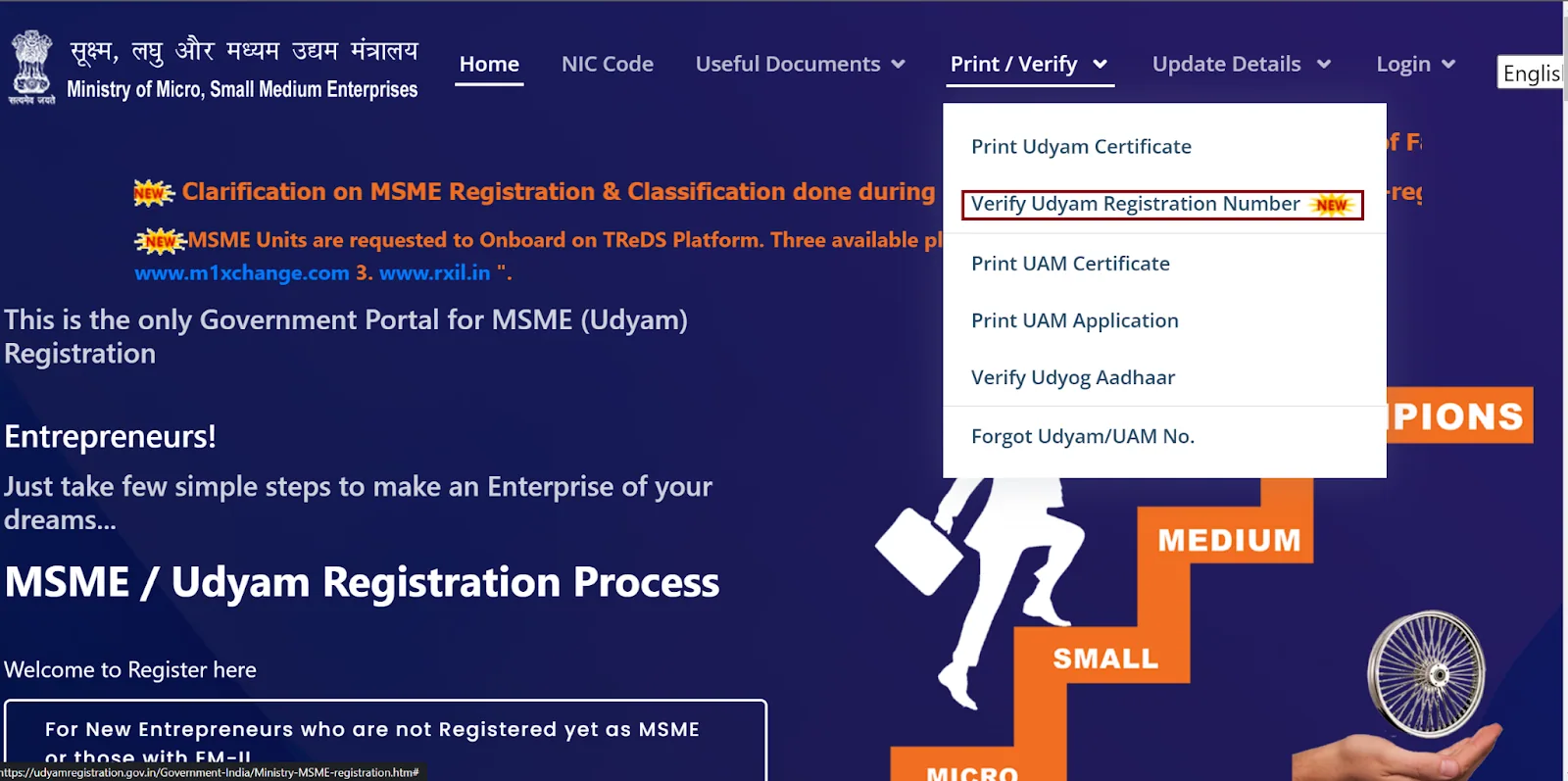
Next, for Udyam verification you will need to click on the "Verify Udyam Registration Number” option from the drop-down menu.
This will take you to a page where you need to enter your UR number and Captcha. Once you have entered the required information, click on the "Verify" button.
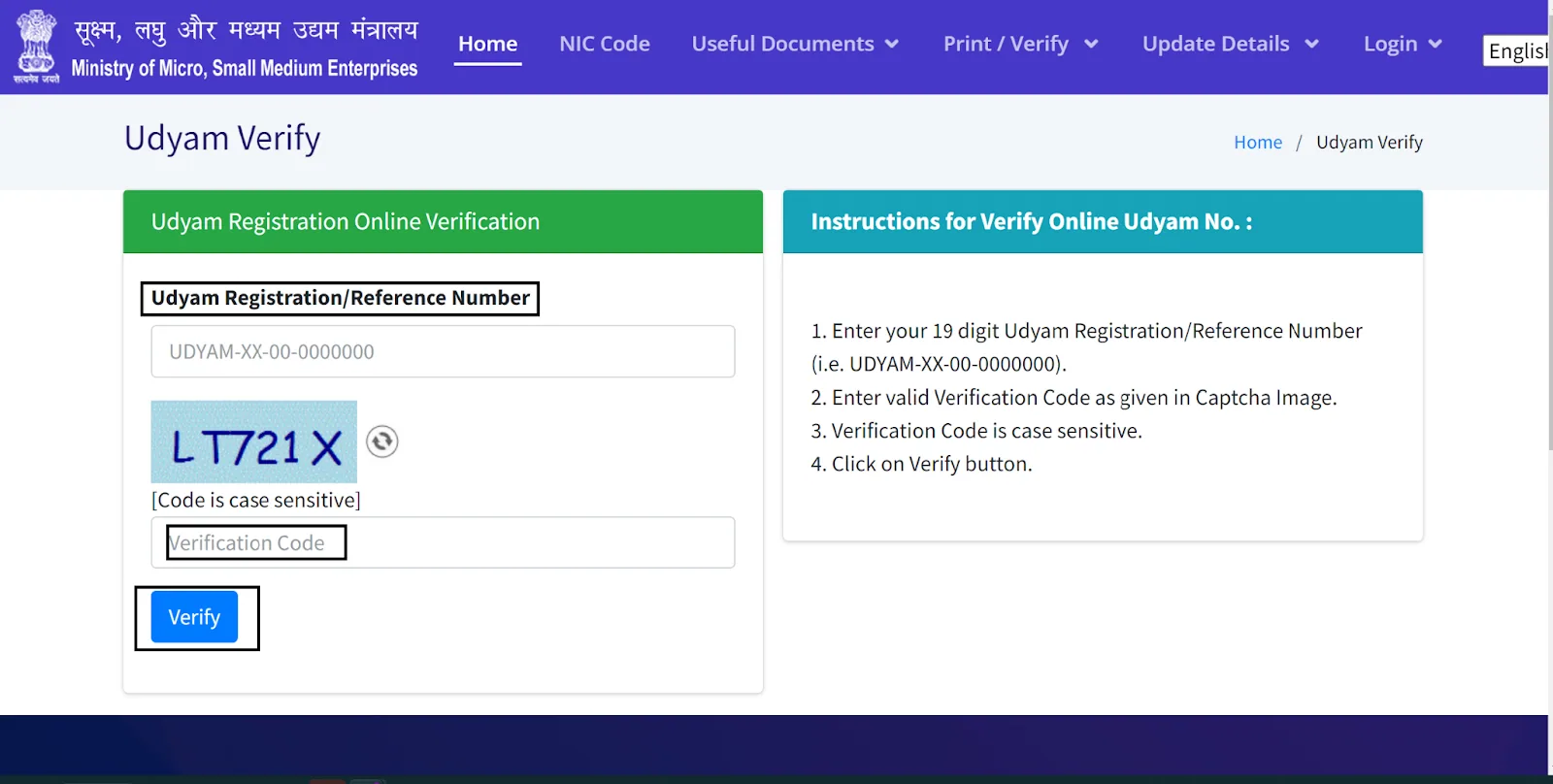
If the UR number is valid, the details of the business will show on the screen. This will include the name, address, and type of industry of the business. It will also display your Udyam registration status. Here you can cross-check the UR details.
QR code Method for Udyam Verification
The Ministry of Micro, Small and Medium Enterprises (MSME) has introduced a new method for Udyam certificate verification. With this new feature, a QR code, a unique identification code, is placed on the certificate. You can scan it using a smartphone or other device to confirm its validity.
First, ask for a copy of the certificate from the business owner or the certificate holder and make sure that it has a QR code on it.
Secondly, open your camera (if it already has an in-built QR scanner) and download a QR code scanner application on your smartphone.
Thirdly, open the app and aim the camera at the QR code on the certificate, the app will scan the code automatically.
Fourthly, it will display the details of the business. This will include the name, address, and type of industry of the business. It will also display your Udyam registration status.
Finally, check the UR details displayed on the app with the ones on the certificate. If they match, the certificate is verified and authentic.
It is worth noting that this feature is currently being implemented by MSME, and not all the certificates issued have the QR code on them. This new method is a quick and easy way for UR verification, and it helps ensure that the business is eligible for government schemes and benefits, as well as avoiding fraud.
Other pointers
It is important to note that you can only go for online Udyam Verification if you had registered via the Udyam registration portal. You cannot go for online verification if you had registered through the Udyog Aadhar Memorandum (UAM) process. This is because the UR process has replaced the UAM processes, and all UAM-registered entities need to first migrate to Udyam Registration.
In case of any discrepancy with UR Verification or if your registration number is not found, we advise you to contact the MSME helpdesk for assistance. You can reach the helpdesk by phone or email and they will provide assistance in resolving the issue.
Conclusion
In conclusion, verifying a Udyam registration certificate is a simple and straightforward process. By following the steps mentioned above, you can easily verify the authenticity of a Udyam registration certificate online. It is important to verify the certificate to ensure that the business is eligible for Udyam Registration benefits.
Frequently asked questions
How can I verify my Udyam registration certificate?
There are two methods for UR verification. For the first method, you need to go to the Udyam website, click on Print/verify from the ribbon, and click on verify UR number. After that, all you have to do is follow the steps on the screen. Alternatively, you can also verify via the QR method for new certificates. All new certificates have a QR code on them, to verify the Udyam certificate, you just have to scan that code and it will display all the required details, Udyam verification is done.
Can I check my Udyam certificate online?
Yes, you can check your Udyam certificate online on the Udyam registration website. You will have to go through OTP verification.
What is Udyam number?
Udyam number is a 12-digit unique identification number provided by the government to all Udyam Registred MSMEs.

Written by
Monjima is a lawyer and a professional content writer at LegalWiz.in. She has a keen interest in Legal technology & Legal design, and believes that content makes the world go round.
All articles by Monjima GhoshServices related to this article
Everything here is handled online by our specialists, start to finish.
2 comments
Raghbir Singh Kotwal
Madam , I applied for online registration of my firm HI TECH ENTERPRISES on 19 Sep.2023. I have filled up wrong in one column.
Can I correct ?
Monjima GhoshLegalWiz.in team
Hi, yes you can update your business address. Please check out this article: https://www.legalwiz.in/blog/process-for-udyam-registration-update
It will guide you on the process. For more help, you can reach out to us at support@legalwiz.in