
How to search GST Number by PAN?
If you are a taxpayer in India, you would know that the Goods and Services Tax (GST) is an essential component of doing business in the country.
Monjima GhoshUpdated 2 min read
Table of contents8 sections
If you are a taxpayer in India, you would know that the Goods and Services Tax (GST) is an essential component of doing business in the country. The GST number or GSTIN is a unique identification number you get after online GST registration. Every GST-registered taxpayer has a unique GSTIN. It is important to have this number as it is required for the filing of GST returns and for conducting business transactions. However, it is not always easy to remember your GST number or to find the GST number of a vendor you are doing business with. Hence, in such cases, you can search GST number by PAN. In this article, we will discuss how to search GST numbers by PAN.
GST Search by PAN Number
The GST search by PAN number is an easy and convenient method to find the GST number of any registered taxpayer. This method is useful for taxpayers who need to verify the GST number of a vendor or supplier before conducting business transactions. By searching GST number by PAN, you can be sure that the vendor is a registered taxpayer and that the GST number provided is genuine.
Note: It is important to note that this search can only be used for registered taxpayers who have obtained a GSTIN number.
How to Search GST Number by PAN?
The process of searching for a GST number by PAN is quite simple. To find GST number by PAN follow these steps:
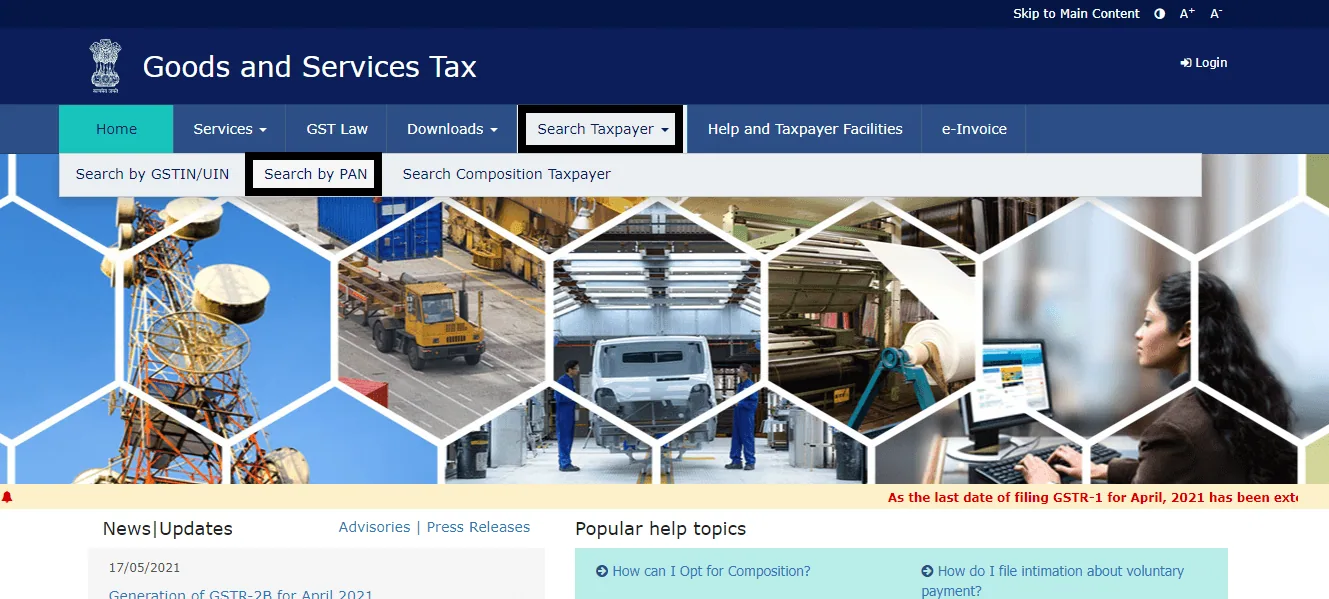
Firstly, you need to go to the official GST portal. There click on the "Search Taxpayer" tab, and select "Search by PAN"
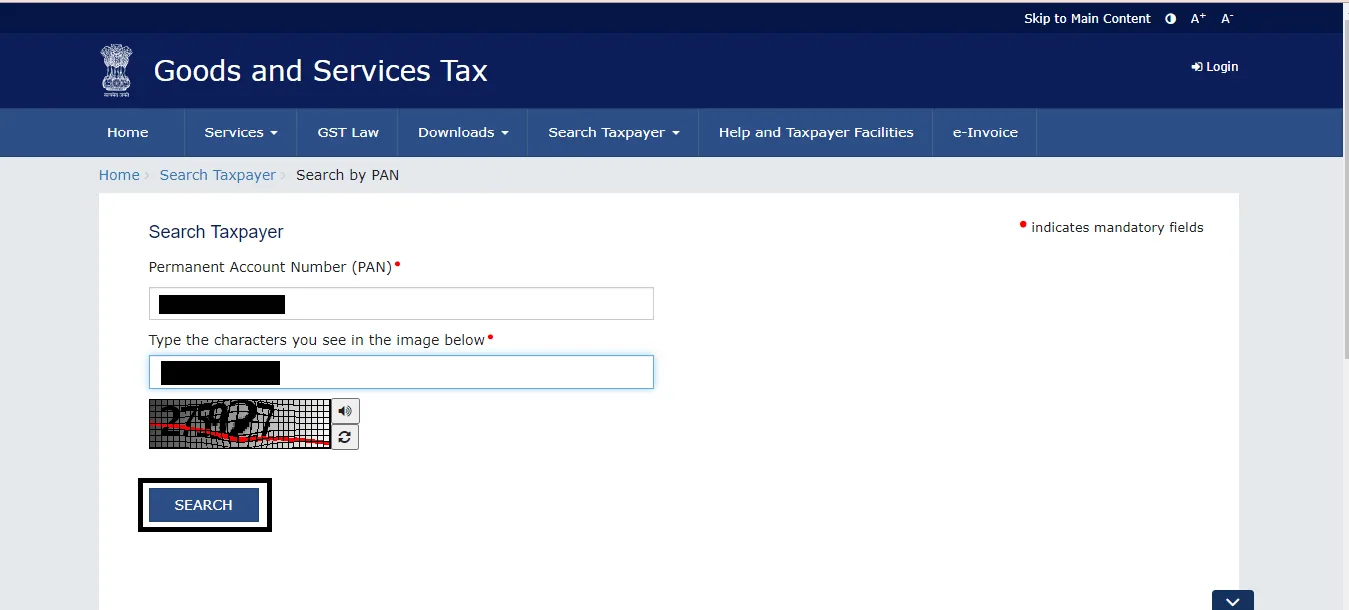
After that, enter the PAN number of the taxpayer whose GST number you want to search for. Accordingly, then enter the captcha code as shown on the screen, and click on the 'Search' button.
Finally, the GST number of the taxpayer associated with the PAN should show on the screen.
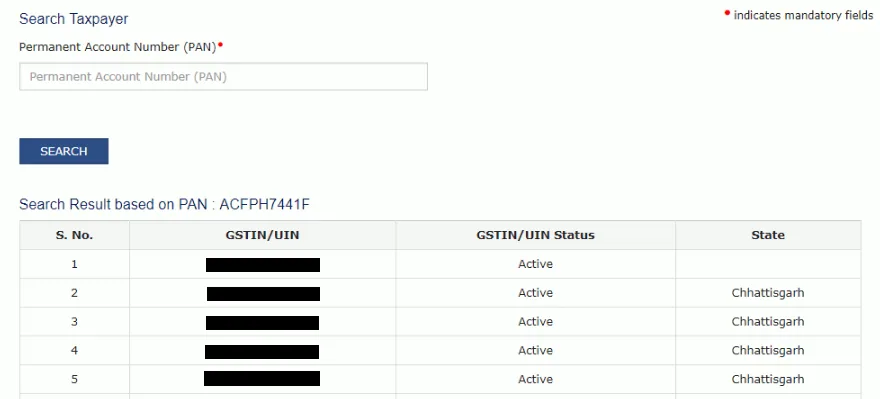
After this, you can click on the GSTIN/UIN for additional information regarding the GST numbers. Such as, what kind of business it's associated with, etc.
Pro-tip: Ensure that you enter the correct PAN number while conducting the search. Any errors in the PAN number will result in an incorrect search result.
Conclusion
In conclusion, searching for a GST number by PAN is a simple and straightforward process. Knowing this process can come in handy at times to find out more about a seller. Hence, knowing how to search GST number using PAN can be an important tool for businesses to verify the GSTIN of their vendors and suppliers. By following the steps mentioned above, you can easily find the GST number of any registered taxpayer
Frequently asked questions
Can I search for the GST number of a vendor who is not registered under GST?
No. You can only use this search for GST-registered taxpayers who have obtained a GSTIN number.
Is it necessary to have a GST number to conduct business in India?
Yes, it is necessary to have a GST number to conduct business in India if your annual turnover exceeds Rs. 20 lakhs (Rs. 10 lakhs for northeastern states).
What is the penalty for not registering under GST?
The penalty for not registering under GST can be the hundred percent of tax amount due or a minimum of Rs. 10,000 (whichever is higher).
Can I update my GST number after registration?
Yes, you can update your GST number after registration by filing a GST amendment application. However, you can only do this in certain circumstances such as a change in the legal entity or a change in the business address.

Written by
Monjima is a lawyer and a professional content writer at LegalWiz.in. She has a keen interest in Legal technology & Legal design, and believes that content makes the world go round.
All articles by Monjima GhoshServices related to this article
Everything here is handled online by our specialists, start to finish.
Comments