
How to Pay Income Tax Online
Paying income tax is an essential responsibility for every individual and entity earning taxable income.
Monjima GhoshUpdated 2 min read
Table of contents29 sections
Paying income tax is an essential responsibility for every individual and entity earning taxable income. Thanks to advancements in technology, you can now conveniently pay your income tax online. Filing ITR and paying income tax are important functions for every taxpayer. In this comprehensive guide, we will take you through the step-by-step process of paying your income tax dues online. So, let's dive in and explore how you can fulfill your tax obligations seamlessly.
Process to Pay Income Tax Online
Method 1: Making a tax payment without logging into the e-Filing Portal
Visit the e-Filing portal.
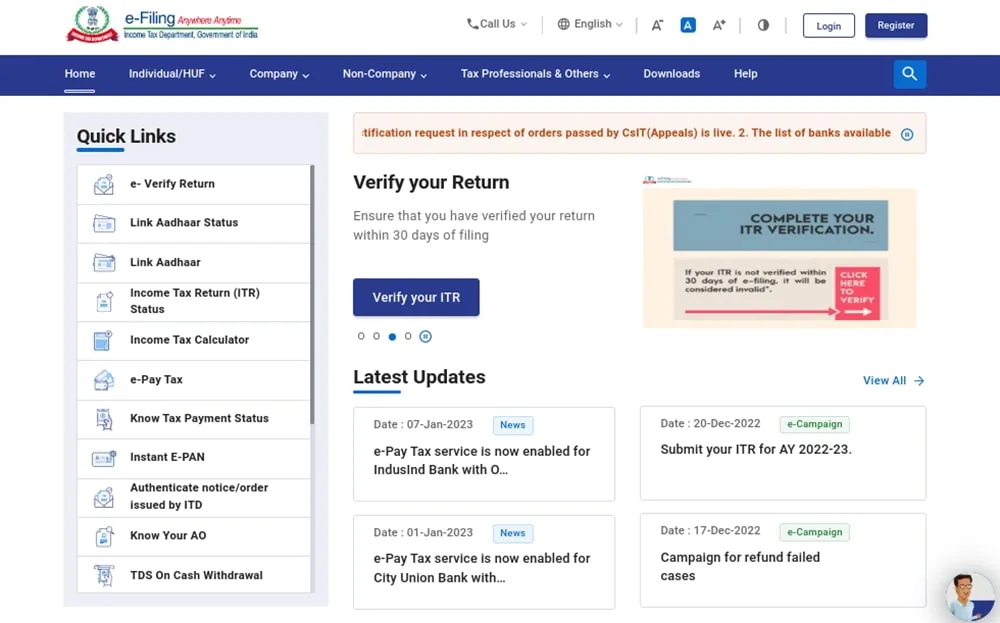
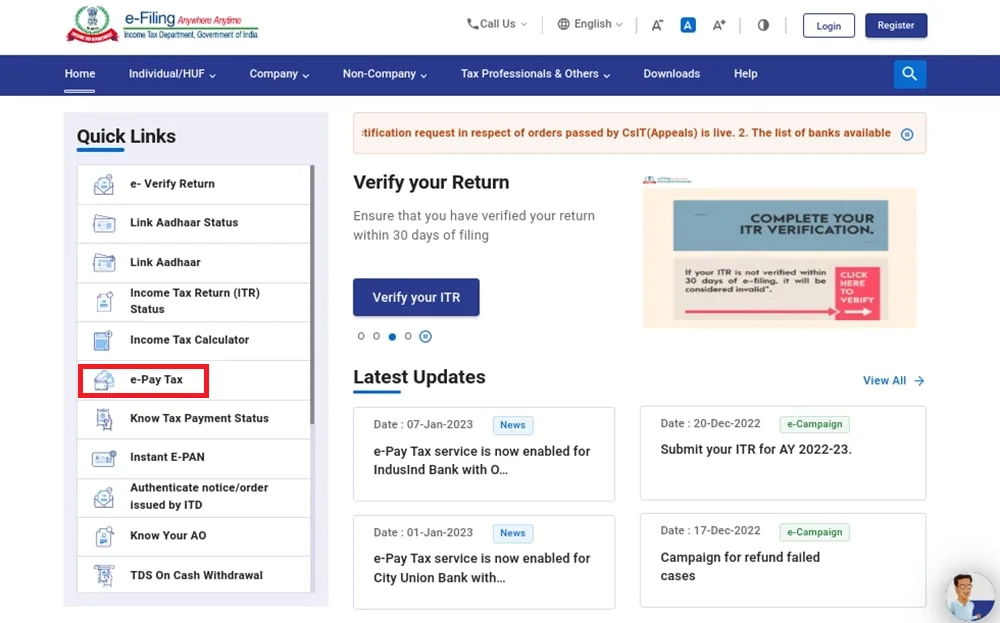
Navigate to the e-Pay Tax section.
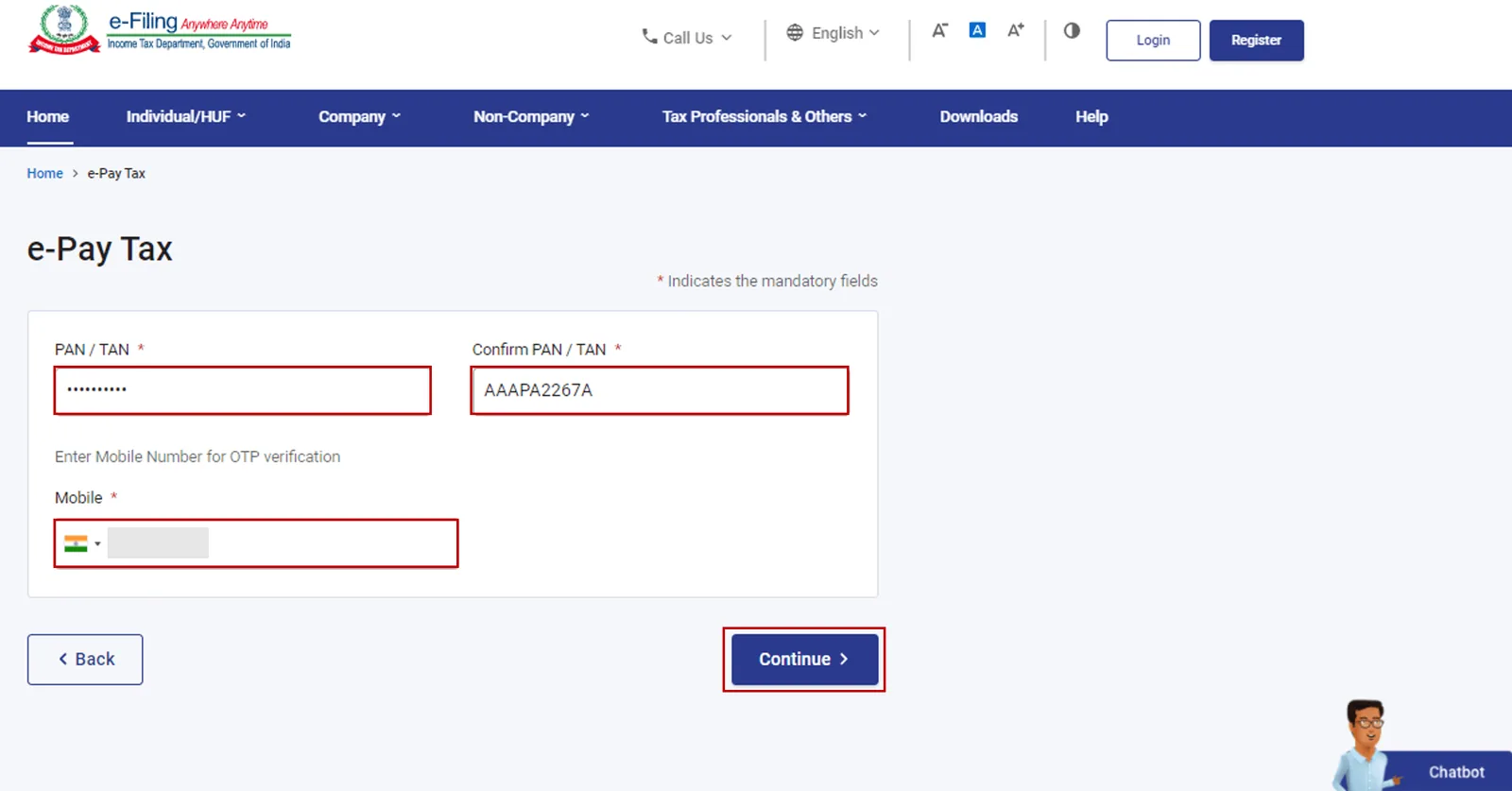
Enter your PAN (Permanent Account Number) and mobile number, then click "Continue."
Enter the OTP (One-Time Password) received on your mobile number, then click "Continue."
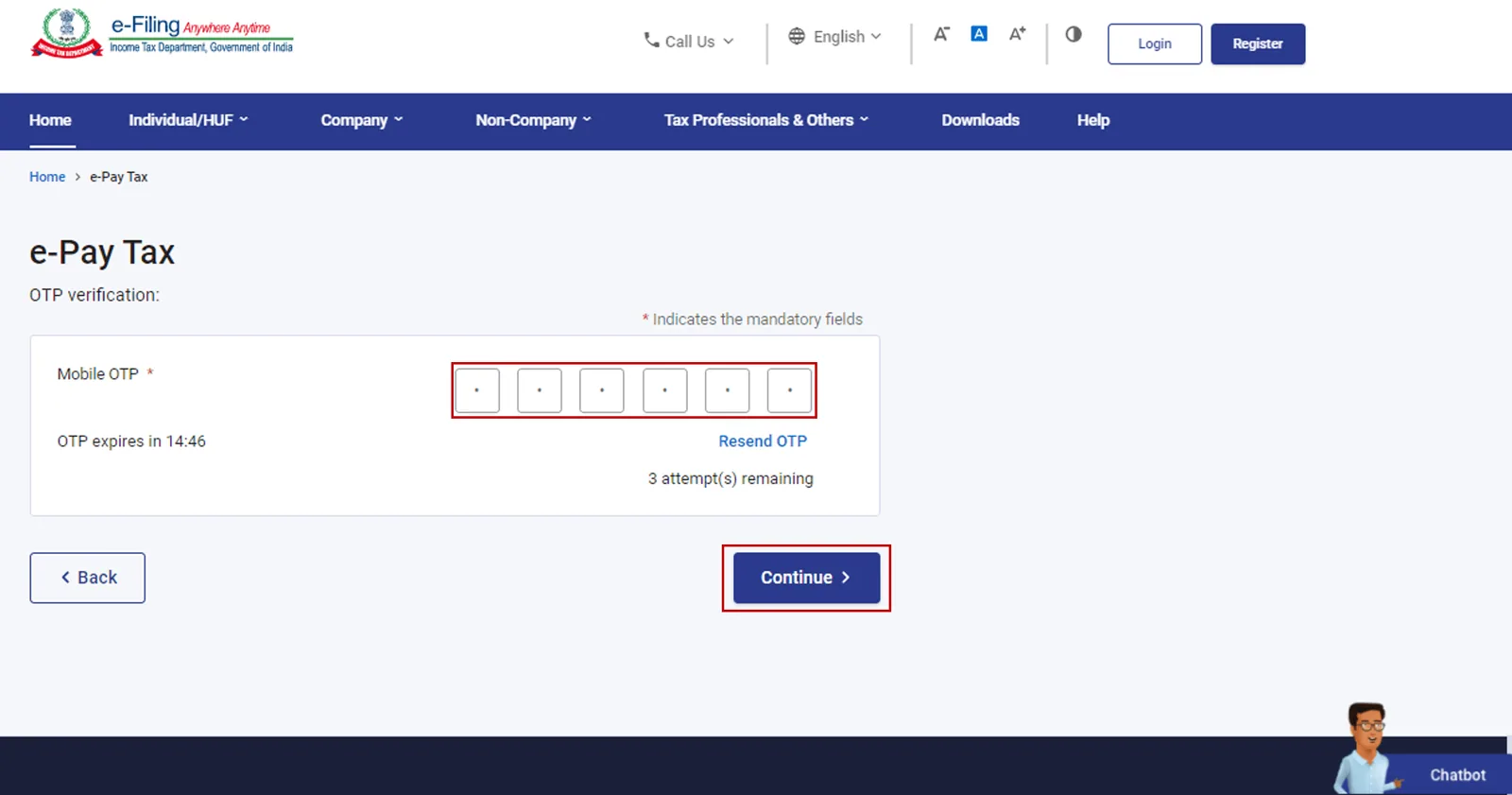
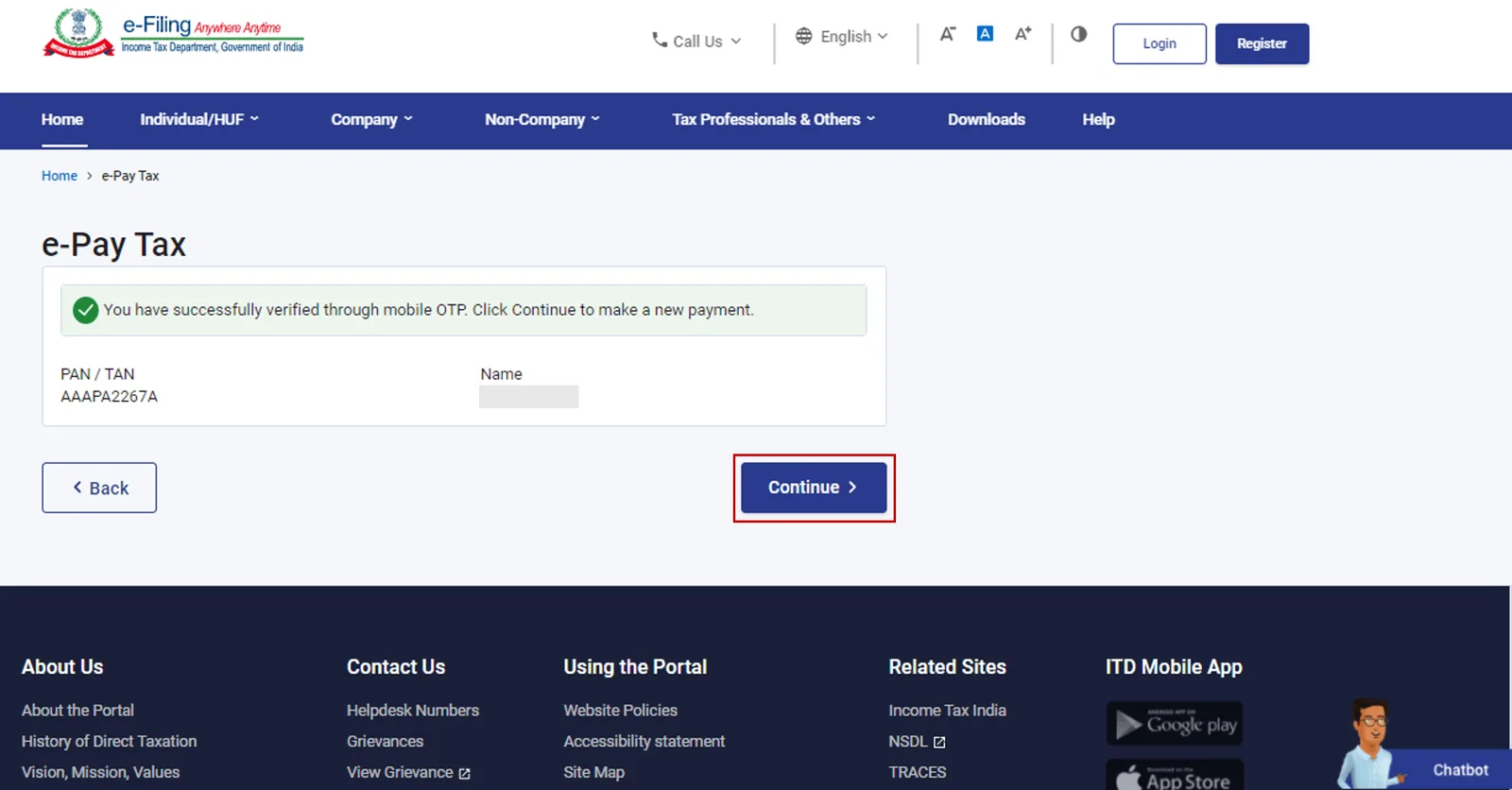
After successful verification, a confirmation message will be displayed. Click "Continue."
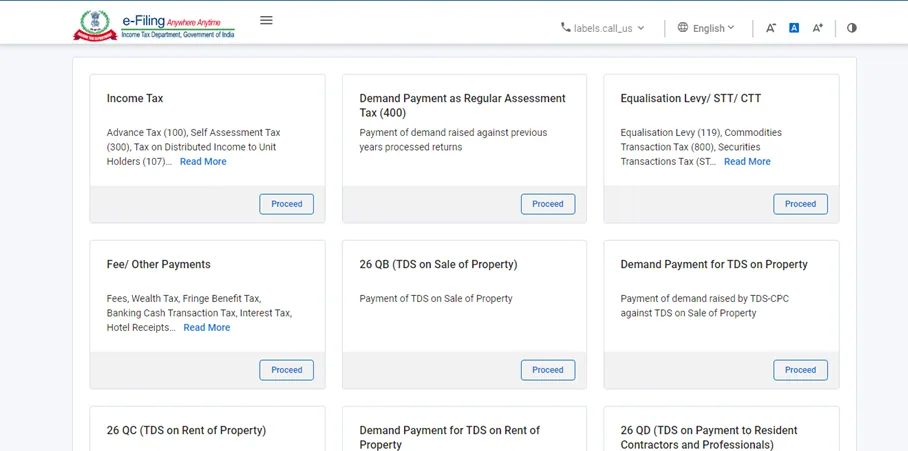
Select the category of tax payment and click "Proceed."
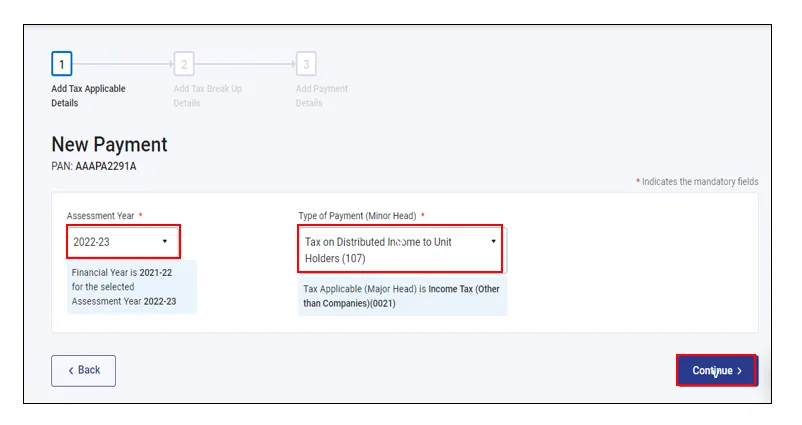
Choose the relevant Assessment Year and Type of Payment (Minor Head), then click "Continue."
Provide the details of the tax breakdown and click "Continue."
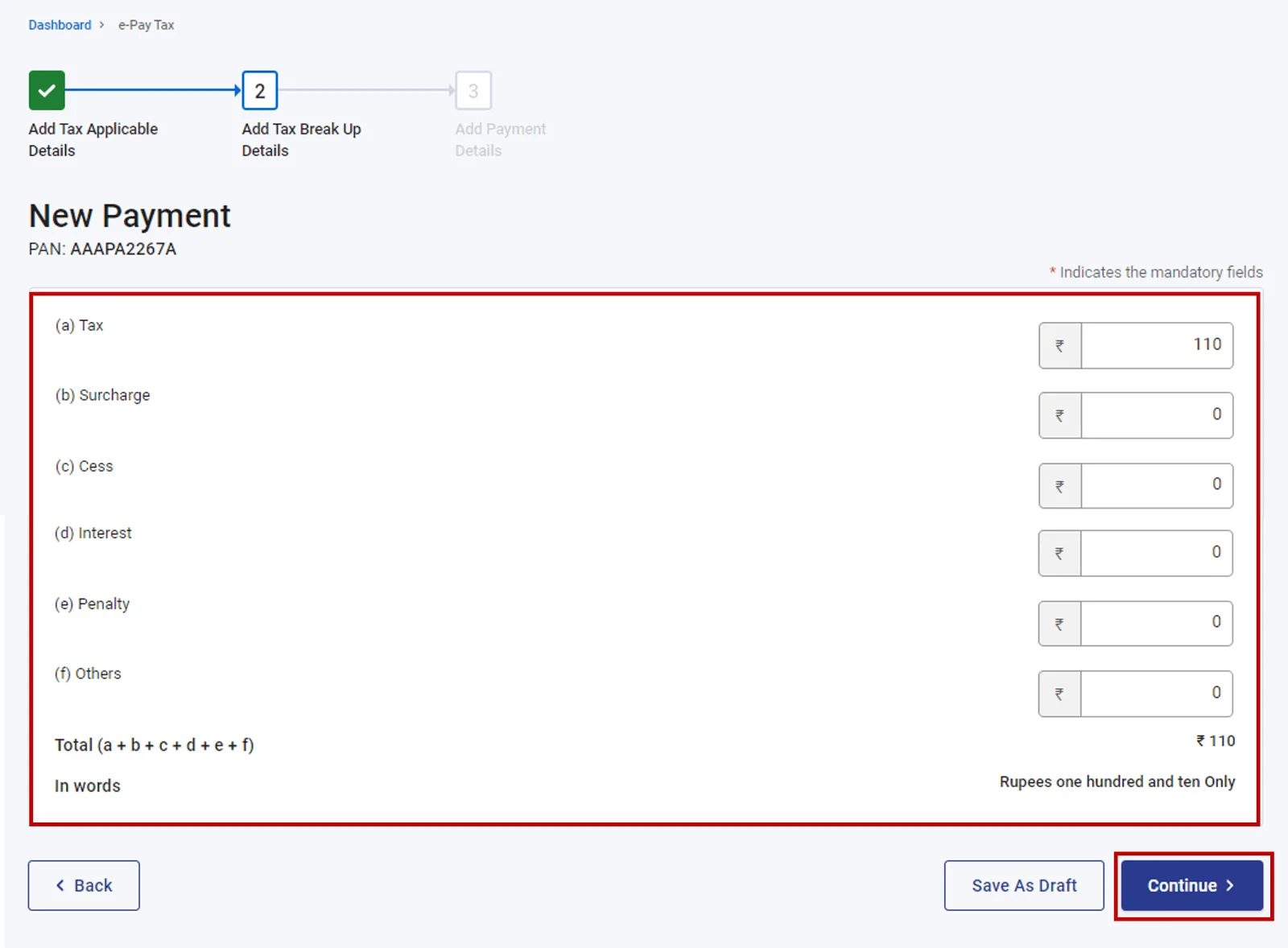
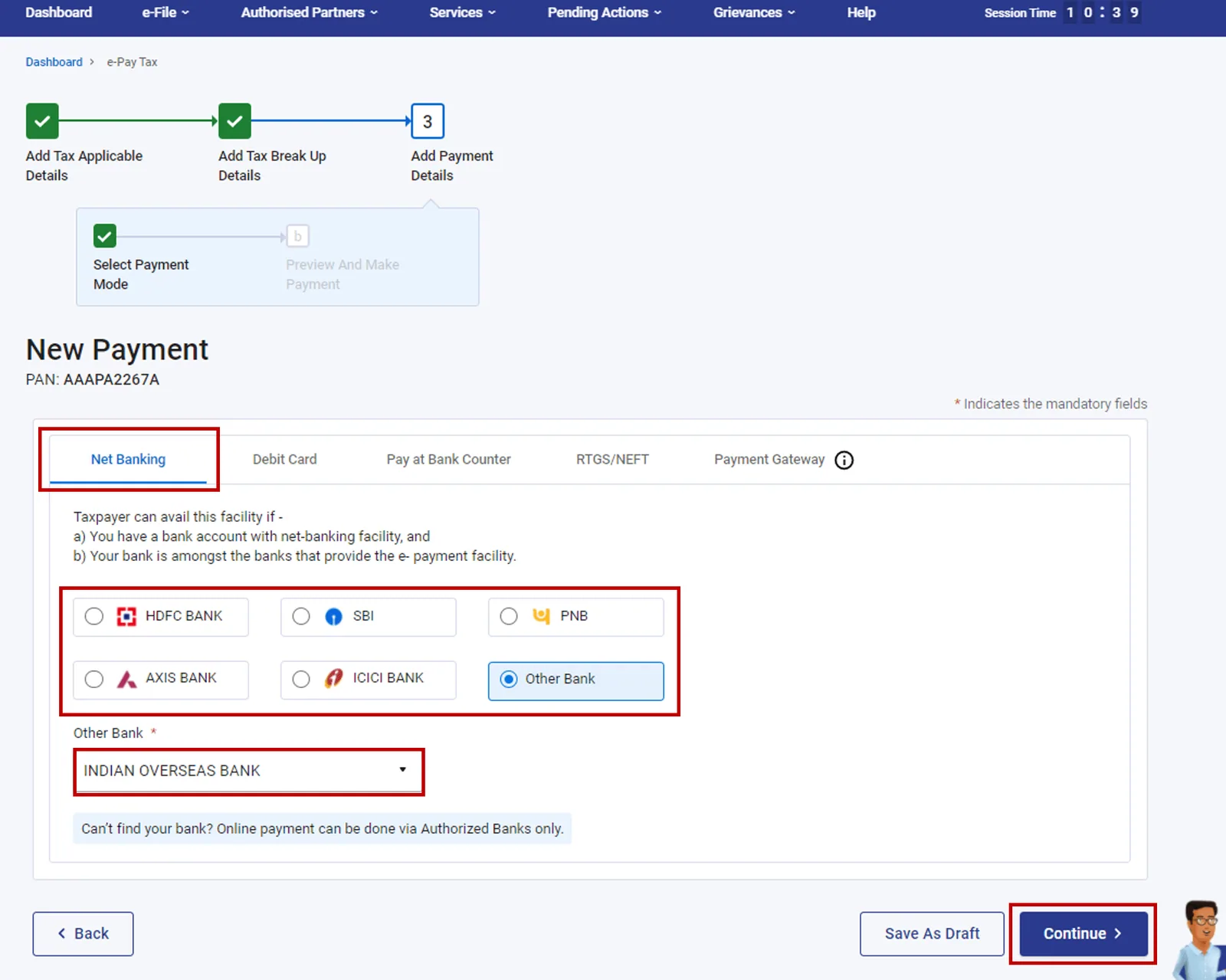
Select the mode of payment and click "Continue." You can also pay your income tax offline by cliking on the "Pay at Bank Counter" option.
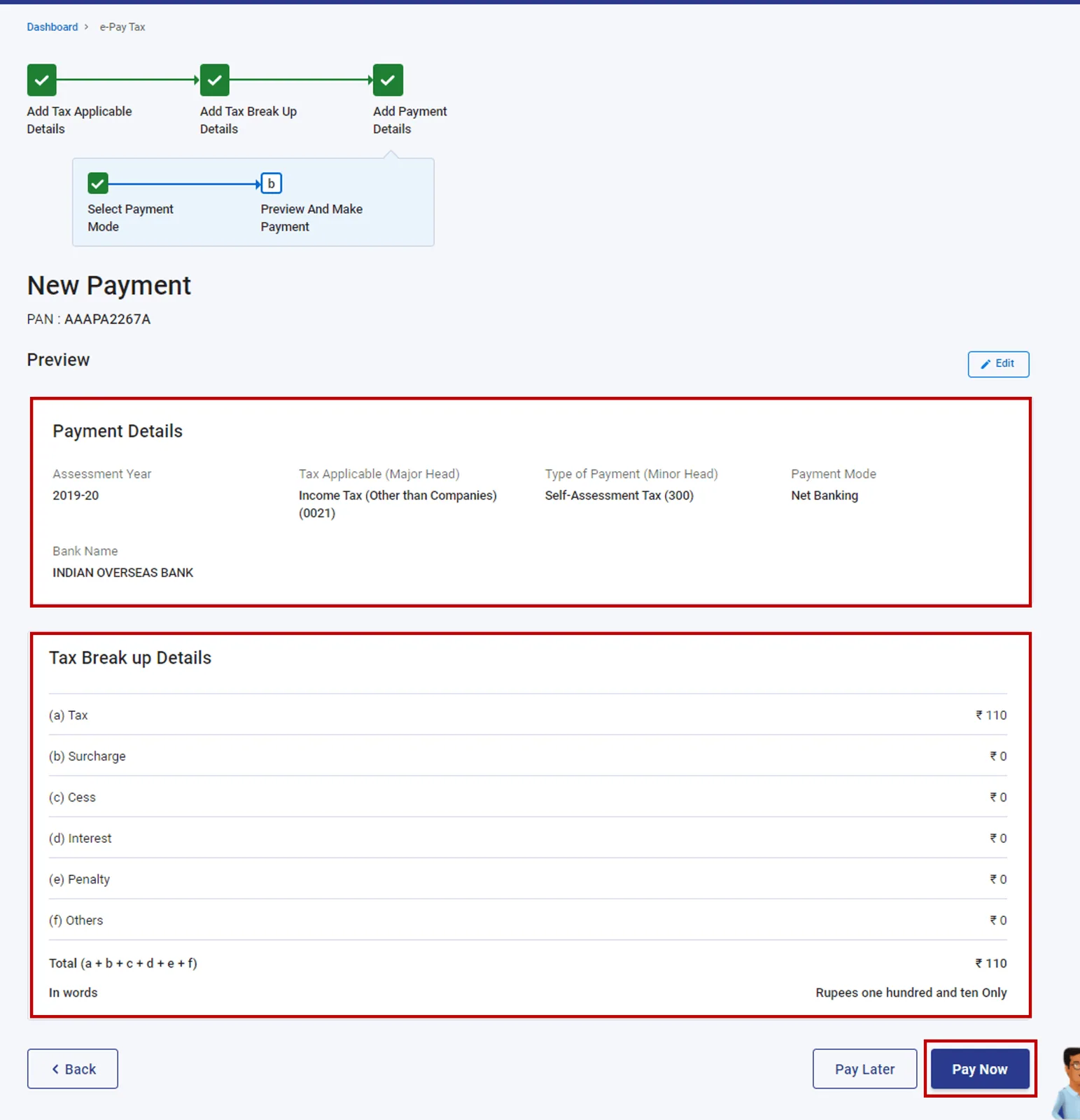
Review the entered details on the next screen and click "Pay Now."
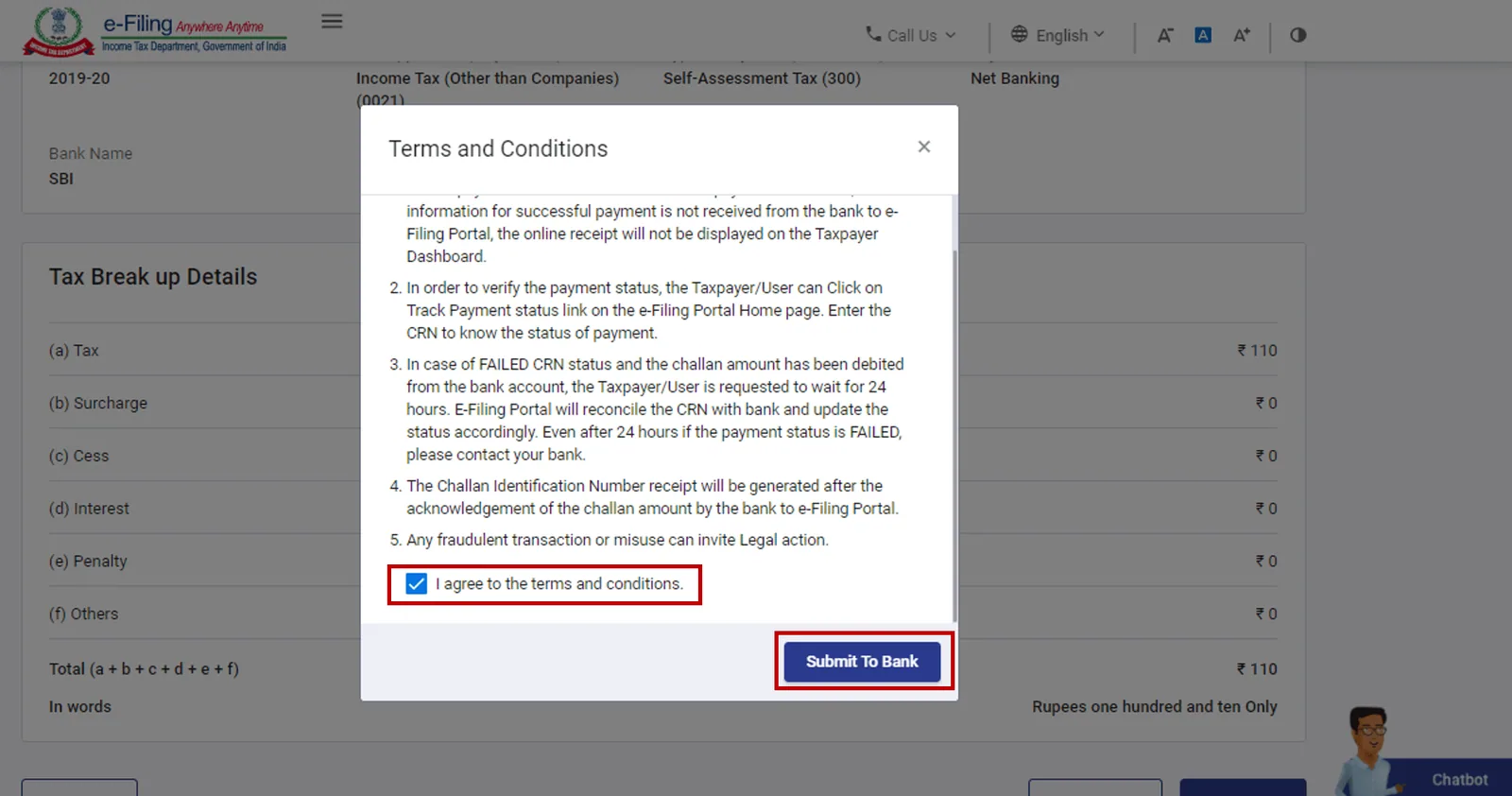
Select "I agree to the terms & conditions" and click "Submit to Bank."
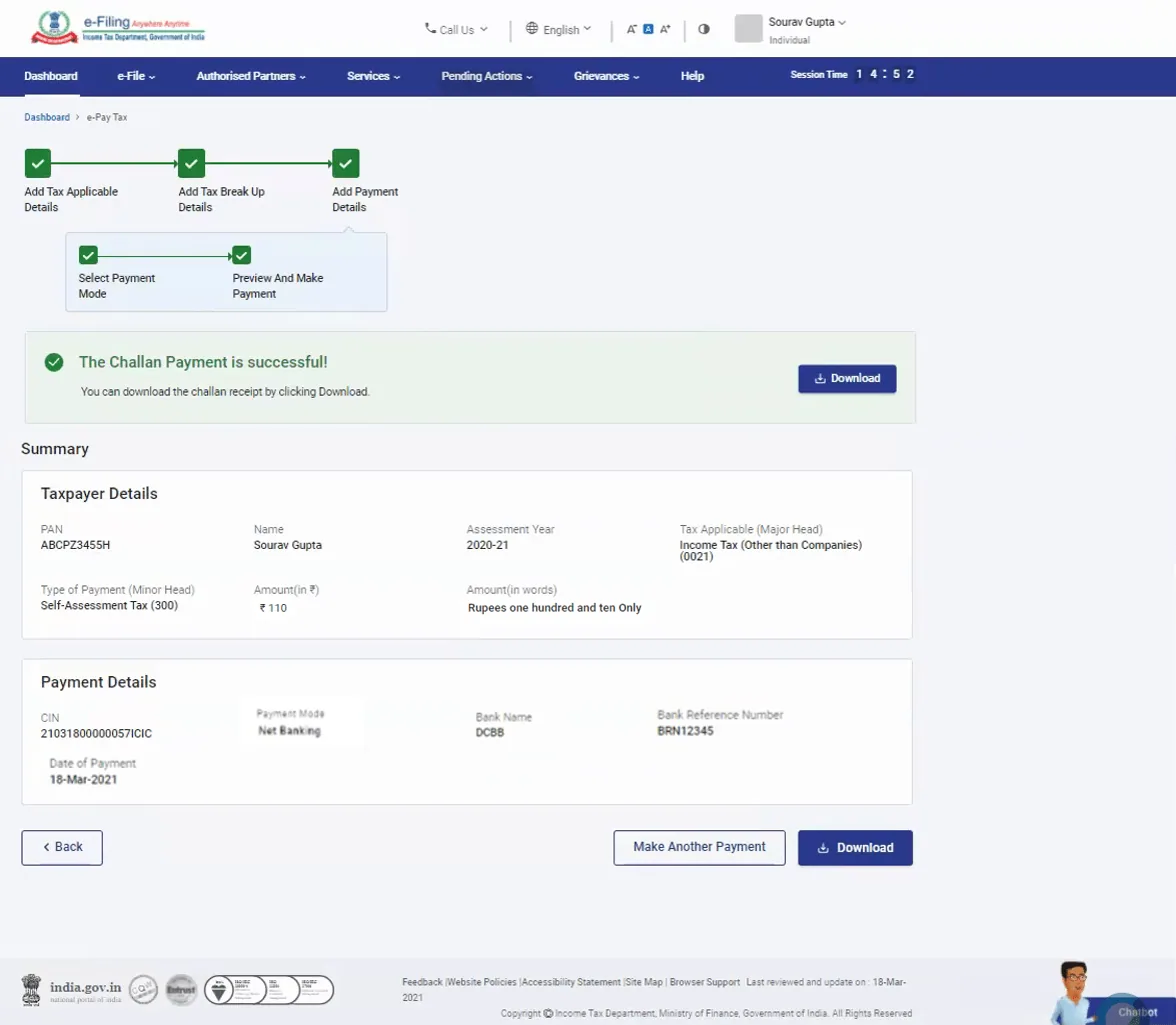
You will be redirected to the bank's website to select the payment mode and complete the payment. Once the payment is successful, a Summary screen will appear, displaying the taxpayer and tax payment details.Download the Challan receipt from the Summary screen for future reference. You will also receive a confirmation on your registered email ID and mobile number.
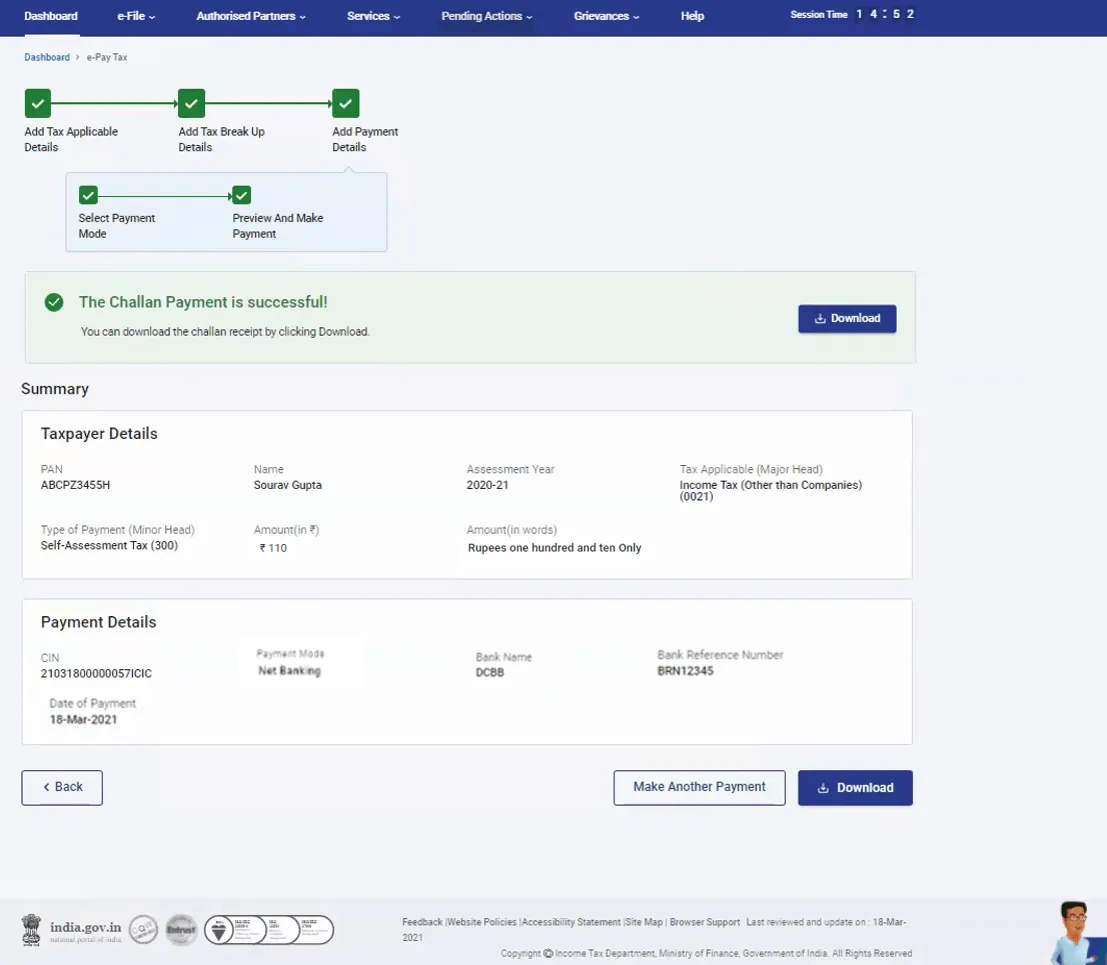
Method 2: Making a tax payment after logging into the e-Filing Portal
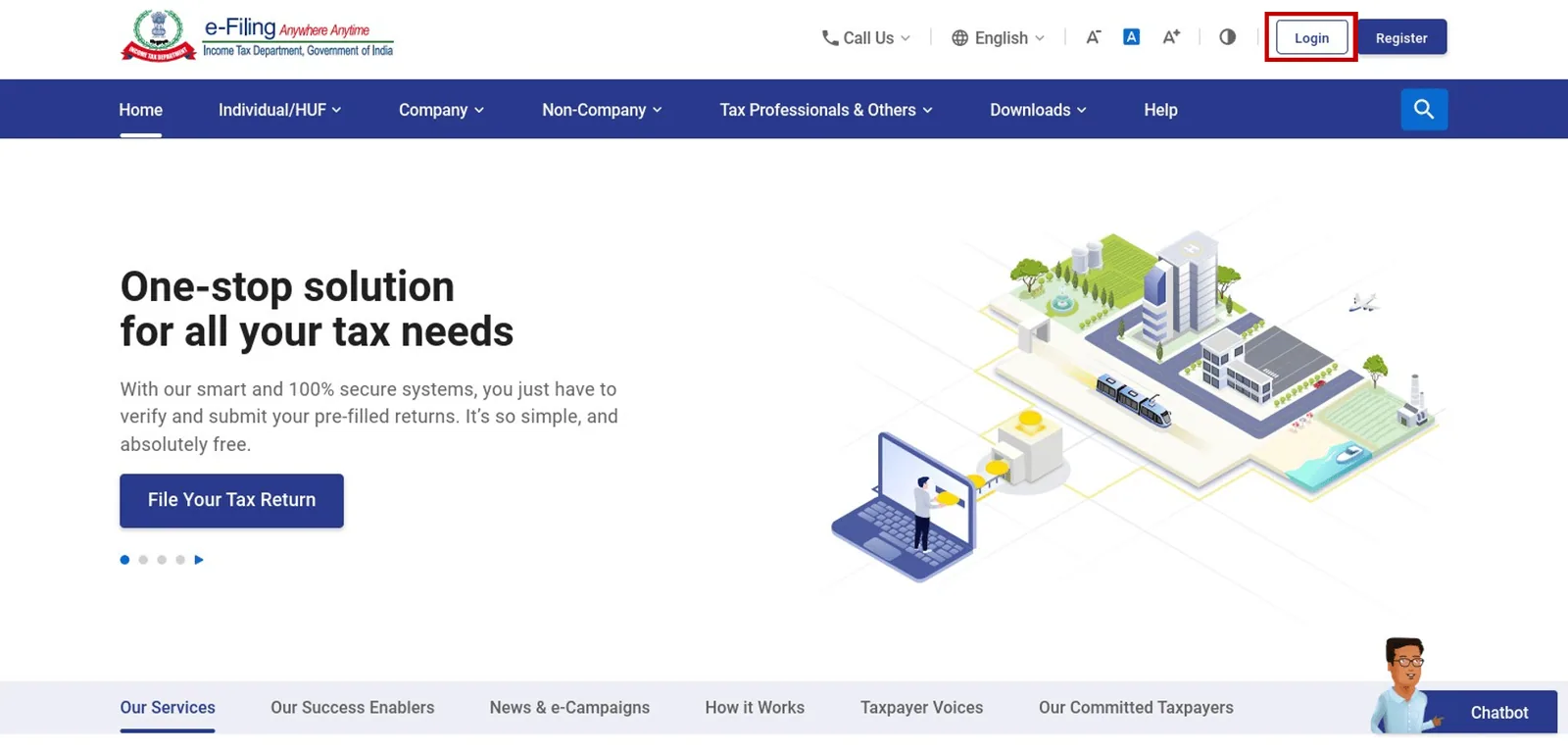
Visit the e-Filing portal and click on Login.
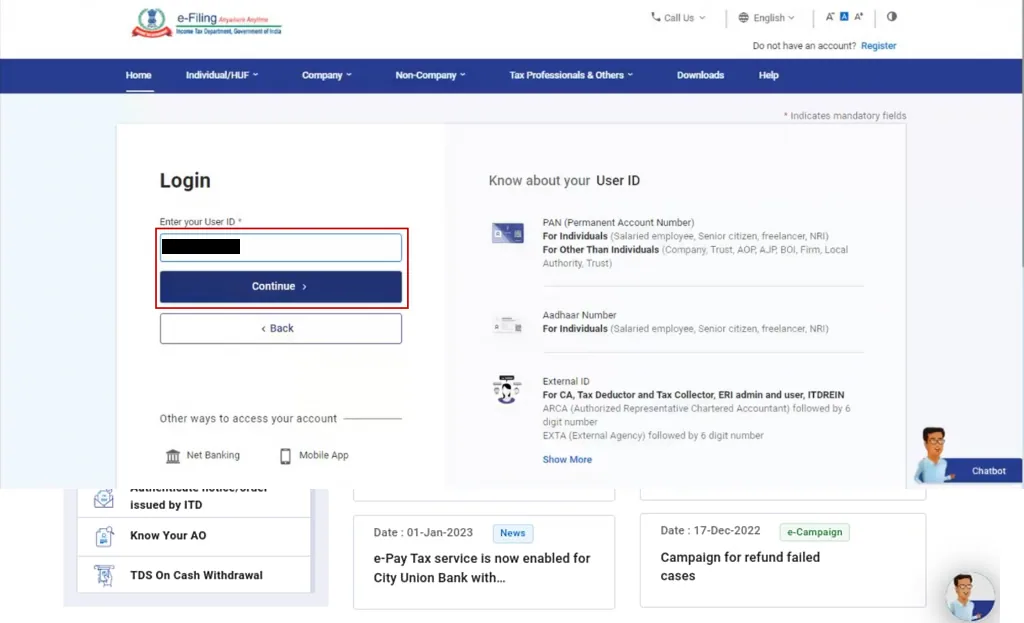
Log in using your PAN/Aadhaar/USER ID and password.
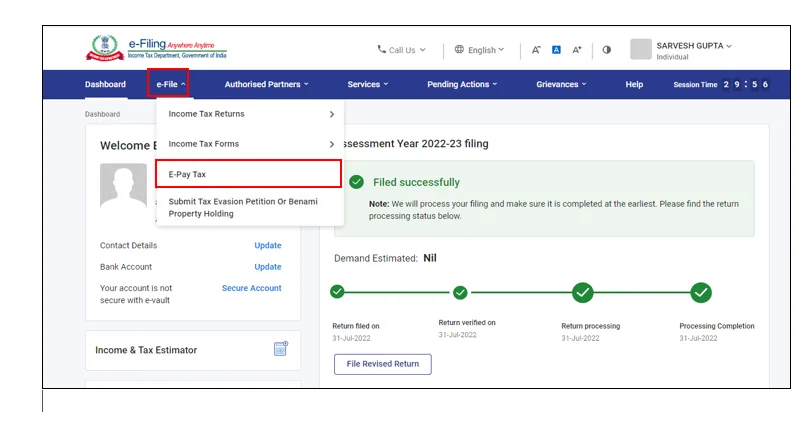
Navigate to the e-File section and select e-Pay Tax.
Click on "New Payment."
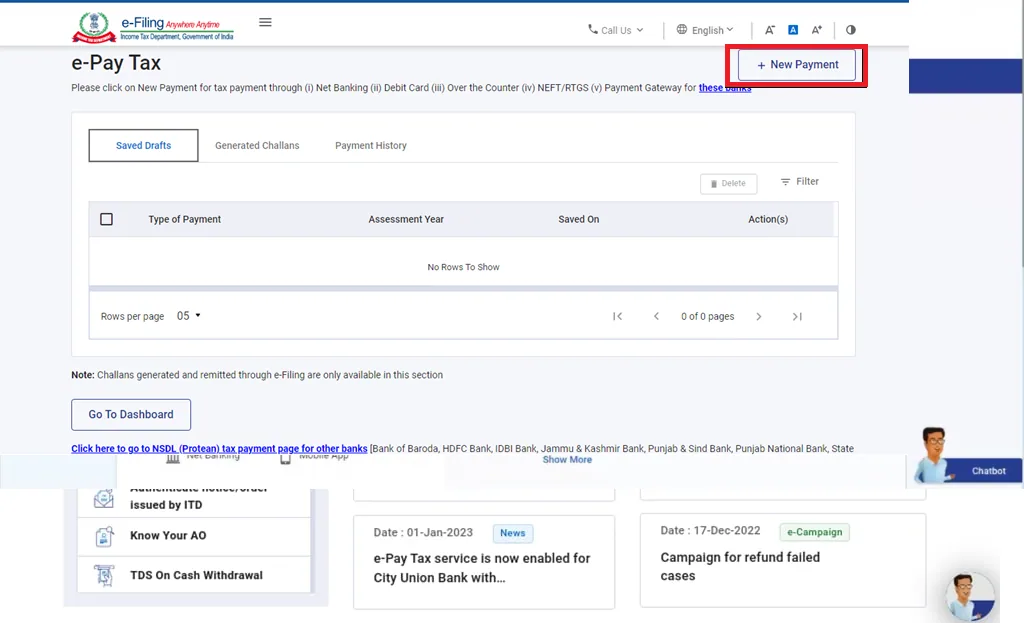
Select the relevant tile of tax payment and click "Proceed."
Choose the relevant Assessment Year and Type of Payment (Minor Head), then click "Continue."
Provide the details of the tax breakdown and click "Continue."
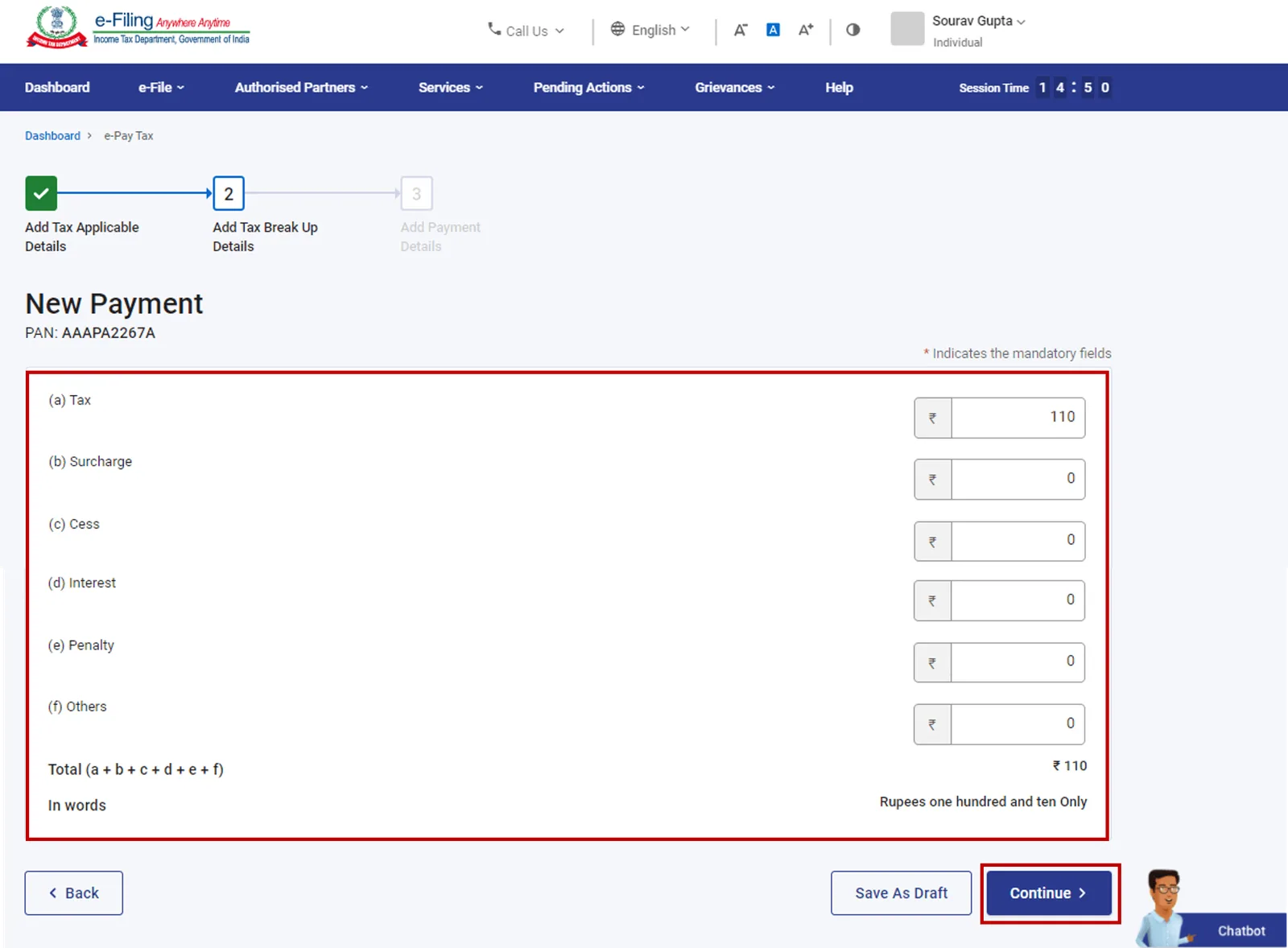
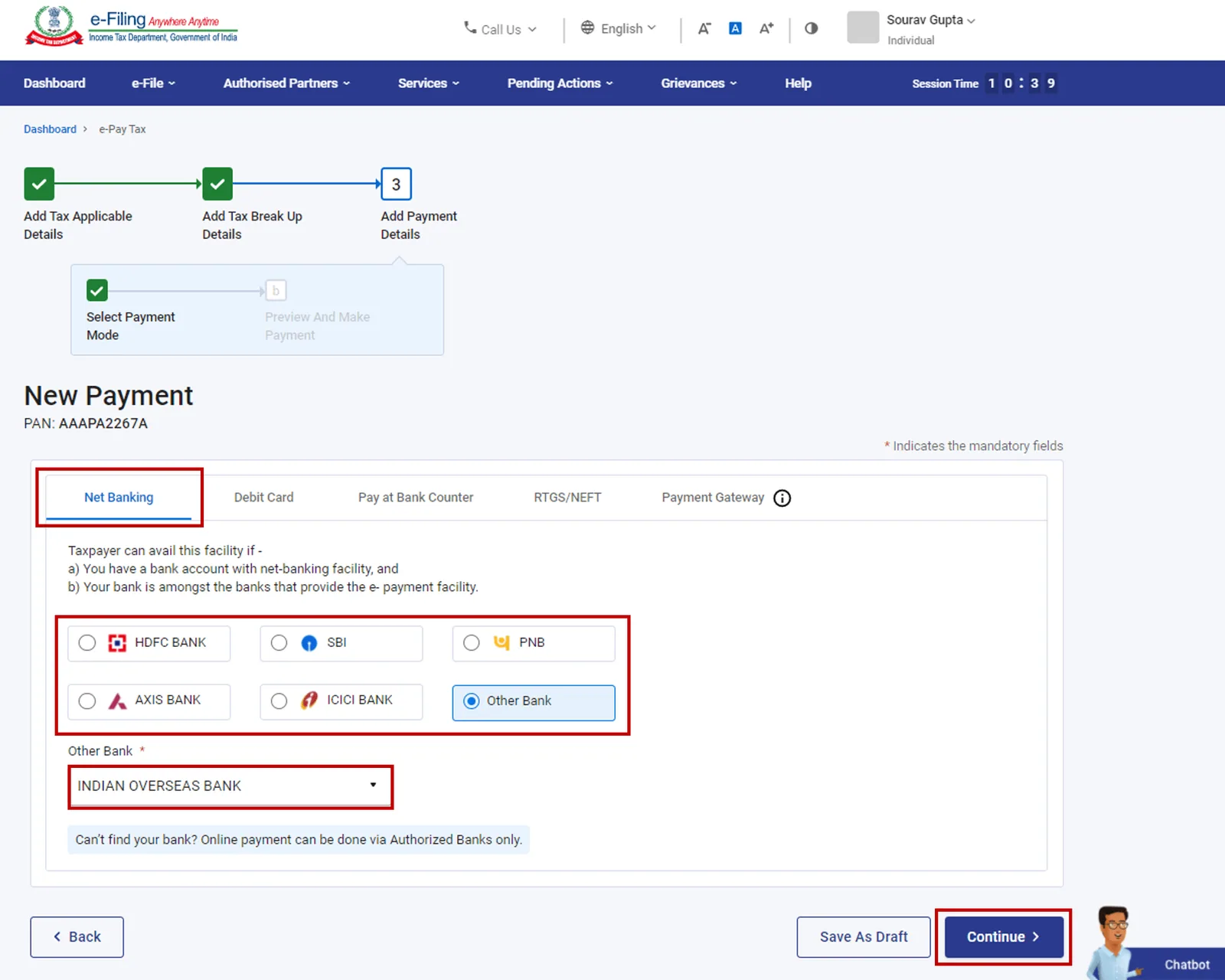
Select the mode of payment and click "Continue."
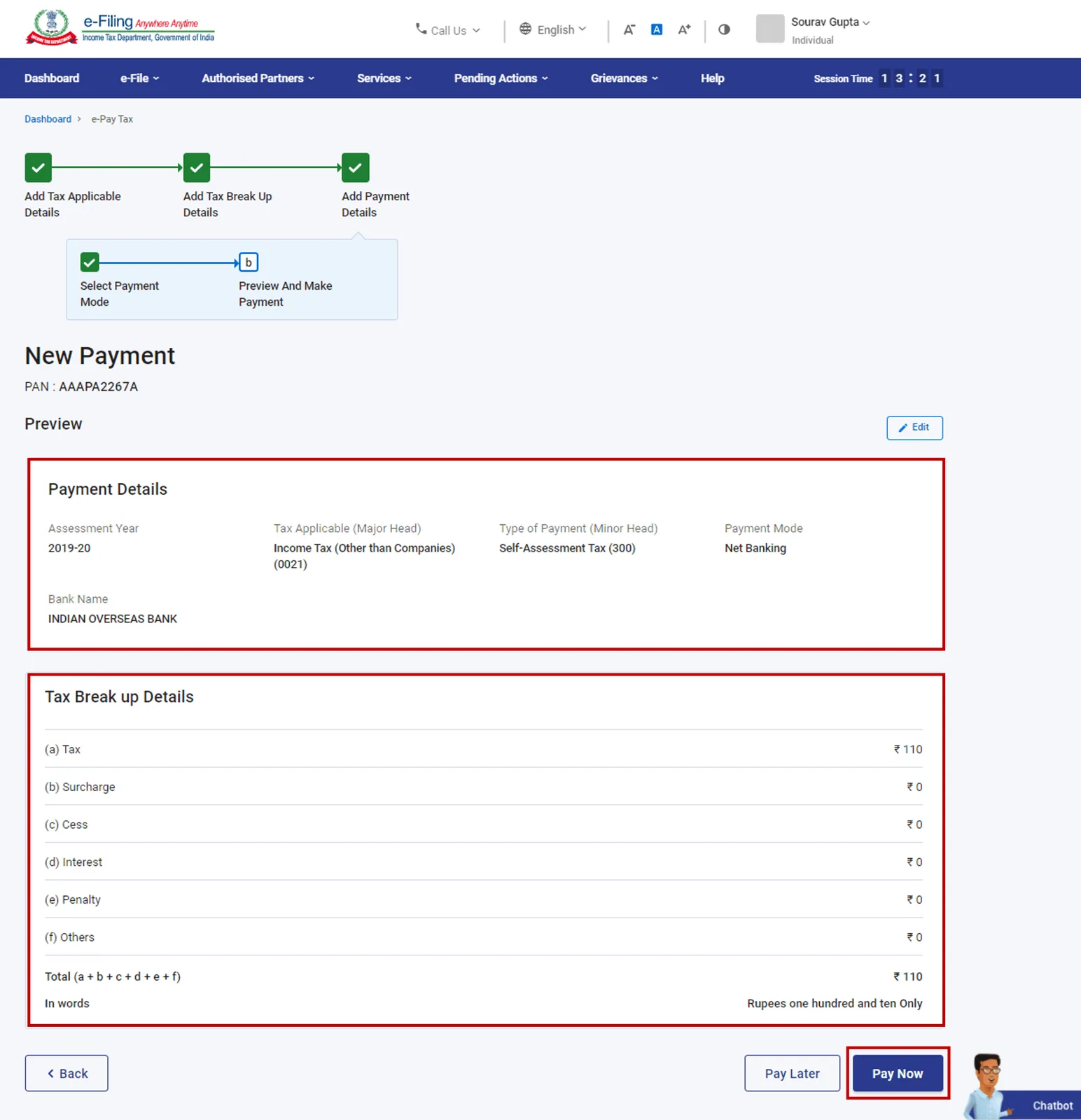
Review the entered details on the next screen and click "Pay Now."
Select "I agree to the terms & conditions" and click "Submit to Bank."
You will be redirected to the bank's website to select the payment mode and complete the payment. Once the payment is successful, a Summary screen will appear, displaying the taxpayer and tax payment details.Download the Challan receipt from the Summary screen for future reference. You will also receive a confirmation on your registered email ID and mobile number.
Penalties for late income tax payments
If you fail to pay your income tax dues within the specified due dates, you may be liable to pay interest on the outstanding amount as per the prevailing rates. Hence, it is crucial to adhere to the due dates to avoid any unnecessary penalties or interest charges.
Conclusion
Remember, paying income tax online offers convenience, speed, and accuracy. It also lets you check income tax refund status online later on. It is essential to follow the step-by-step process outlined in this guide and stay updated with the due dates and regulations set by the income tax department. By fulfilling your tax obligations promptly, you contribute to the nation's progress and ensure compliance with the tax laws.
Frequently asked questions
What is the due date for income tax payment?
The due dates for income tax payments vary depending on the type of taxpayer and the applicable assessment year. It is essential to refer to the income tax department's website or consult a tax professional to stay updated on the specific due dates.
Can I make income tax payments using a credit card?
Yes, you can make income tax payments using a credit card. However, please note that there may be additional charges or convenience fees imposed by the credit card company. It is advisable to check the terms and conditions of your credit card provider before proceeding with the payment.
What is an ITR (Income Tax Return)?
An Income Tax Return (ITR) is a form filed by individuals or entities to report their income earned during a financial year and the corresponding tax liability. It is a vital document used by the tax authorities to assess the taxpayer's income and determine the tax payable or refundable.
Can I pay ITR offline?
Yes, you can pay ITR offline by "Pay at counter" menthod.

Written by
Monjima is a lawyer and a professional content writer at LegalWiz.in. She has a keen interest in Legal technology & Legal design, and believes that content makes the world go round.
All articles by Monjima GhoshServices related to this article
Everything here is handled online by our specialists, start to finish.
Comments